Features
The complete HTML to Figma toolkit
From a single URL to a multi-page, responsive, design-system-aware Figma file. Here is everything HTML to Frames does — and how.
Import from anywhere
Five sources cover public sites, files on your computer, pages only your browser can see and code written by AI.
Link
Paste any public URL. The page is rendered in an isolated browser, lazy content is scrolled into view and cookie banners and popups are hidden if you want.
Multiple import
Up to 10 links per import, processed one after another. Each page becomes its own row of screens. Included on every plan — no Pro required.
Local files & pasted code
Drop an HTML file, a whole site folder or a .zip and choose which pages to import — or paste HTML/CSS directly. Files are served from memory and deleted when the import finishes.
Chrome extension
Capture logged-in dashboards, localhost, private networks and the page's current state. Pick a single element or the whole page, then paste it or Send to Figma.
AI tools via MCP
Connect Claude Code, Claude Desktop, Cursor or any MCP client. They call import_html or import_url and the page lands in your open plugin.
Import linked pages & re-import
After an import, choose more pages of the same site from a list. Update any frame later with one-click Re-import.
Screens that match the real site
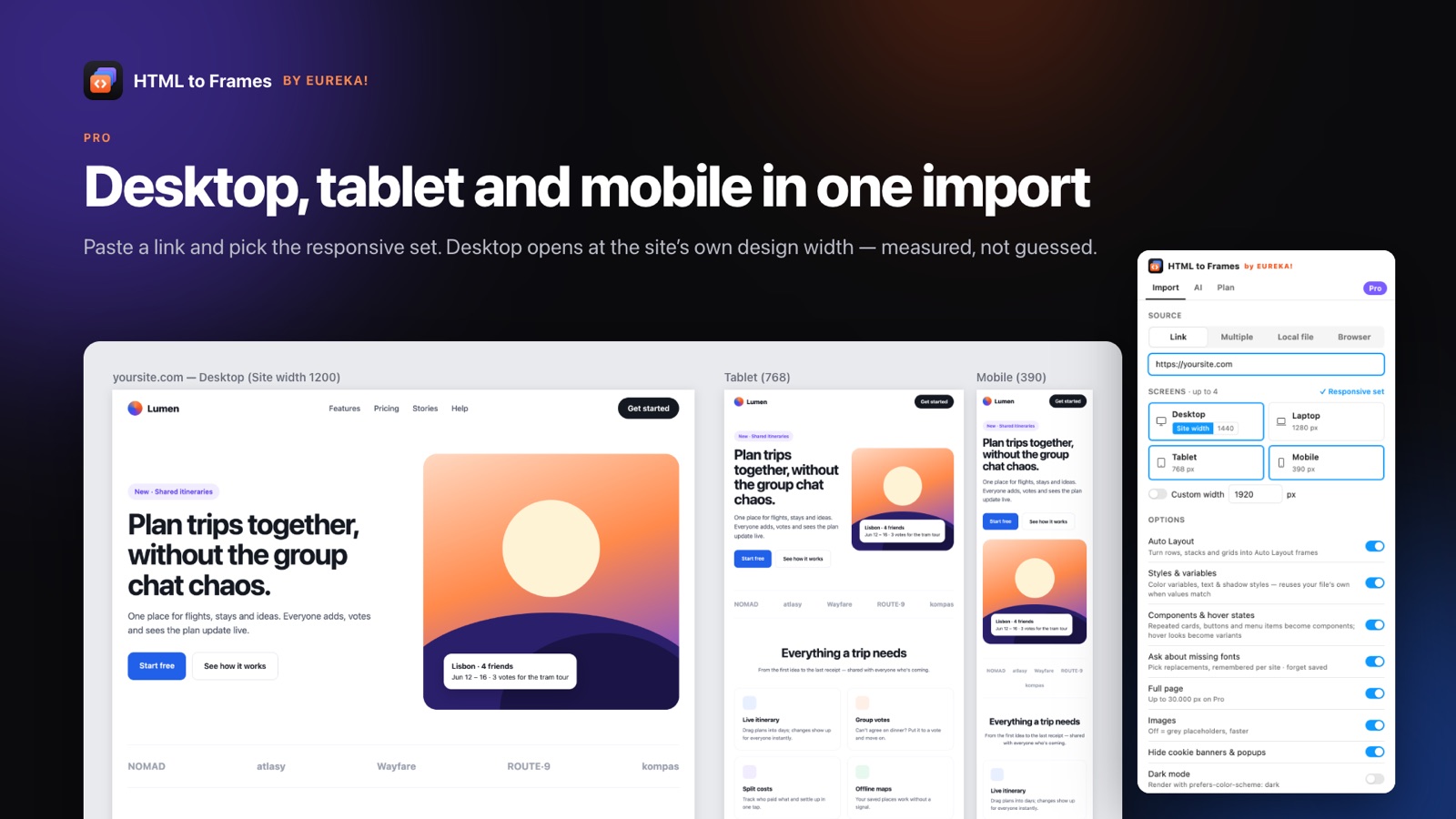
Responsive design means more than three screenshots. HTML to Frames renders each width separately, so you get the real tablet and mobile layouts.
Site width, measured
Desktop opens at the design width the site was built for: 1920 with a centered box for full-bleed layouts, the box width for boxed sites, 1440 for fluid ones.
Responsive set
Desktop + Tablet 768 + Mobile 390 in one click; Laptop 1280 and custom widths on Pro. Screens are captured in parallel.
Clean canvas layout
One row per page, screens side by side, frames named like yoursite.com/pricing — Desktop (1920).
Auto Layout you can trust
The core of HTML to Frames. Auto Layout is inferred from real browser geometry, applied, and verified — never assumed.
Stacks, rows and grids
Vertical and horizontal stacks, wrapping rows, gaps, padding and alignment are inferred from the measured position of every child.
Responsive meaning
Centered content stays centered, equal cards fill, max-width containers stay in the middle and spacer items stretch — so frames resize like the site.
Verified within 2 px
After applying Auto Layout, each child's position is compared to the browser. If it moved, a simpler plan is tried; otherwise the frame keeps exact positions.
Smart constraints
Frames that keep absolute positions get Stretch, Scale, Center or Min/Max constraints, so resizing still behaves.
Diagnostics
The result screen lists why each frame stayed absolute — uneven gaps, overlap, text size differences — so nothing is a mystery.
Design system, extracted
Turn a site's colors, type and repeated UI into the building blocks of a Figma design system — or map them onto yours.
Color variables
Up to 96 color variables in a 'Colors · domain' collection, named from the site's CSS custom properties (for example --brand-primary → brand/primary).
Text & shadow styles
Up to 48 text styles named by role and size, plus shadow styles from sm to xl. Fills, strokes and text colors are bound to variables.
Reuse, don't duplicate
If your file already has a variable or style with the same value, it's used. Importing the same site twice creates nothing new.
Snap to my file's styles
Near-matches snap to the closest color and text style of your own design system, using perceptual color distance.
Components & hover variants
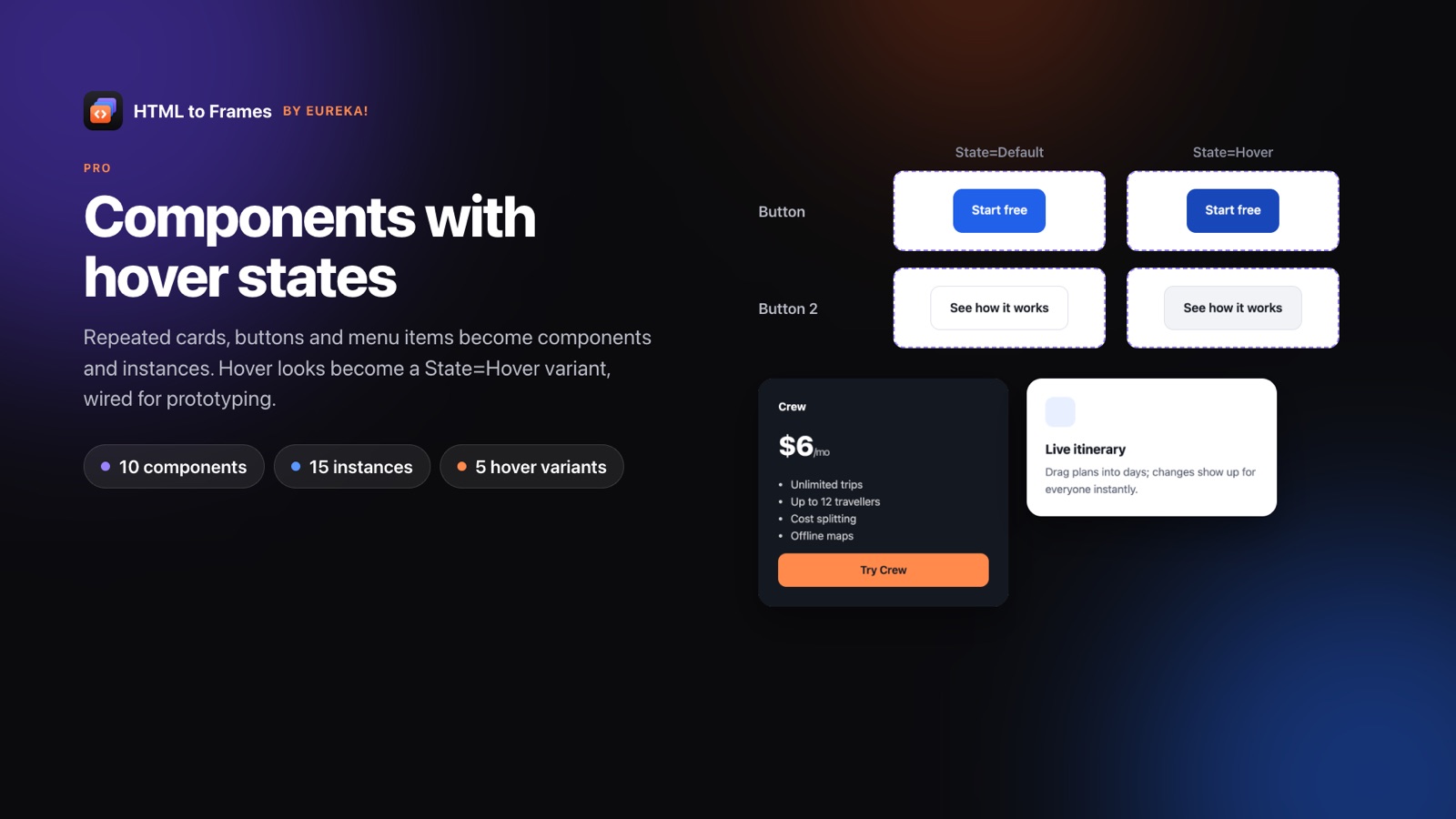
Repeated cards, buttons and menu items become components and instances. Hover looks become Default/Hover variants with an on-hover interaction.
Light + Dark
The page is read in light and dark color schemes and written into one collection with two modes, plus a dark copy of each screen.
Fidelity down to the details
Real CSS is messy. HTML to Frames handles the details that make a page look like itself.
Text
Mixed styles in one paragraph, links, letter-spacing, line-height, text-transform, superscript and subscript, CSS counters and Chrome-accurate list markers.
Paint
Linear, radial and conic gradients including px stops and tiled patterns, blend modes, opacity, blur and backdrop blur, grayscale filters.
Shapes & effects
SVG as editable vectors, border radius, inner and outer shadows, text shadows, single-side borders, ::before/::after, clip-path, mask-image, rotation and scale.
Embedded content
Maps, iframes, WebGL and videos without a poster are captured as a picture of that box, so nothing is left blank.
Images
High-resolution srcset sources, object-fit, background-size and tiled backgrounds.
Fonts
A Missing fonts screen suggests replacements before anything is built and remembers your choice for that site.
Prototype and workflow
Imported pages are ready to click through and easy to keep up to date.
Clickable links
Links open their URL in Present mode; links between imported pages become Navigate interactions.
Fixed, sticky & scroll
Fixed and sticky headers stay put and horizontal scroll areas such as carousels scroll in prototypes.
Accordion text as notes
Optional: hidden text in closed accordions is added as Figma annotations so no content is lost.
Reference screenshot
A hidden, locked screenshot layer under each screen for pixel comparisons (Pro).
Frequently asked questions
Free includes every import source, Multiple import of up to 10 links, measured site width, Auto Layout with verification, font mapping, prototype links and embedded-content screenshots — with 10 imports a month and one screen per import. Styles and variables, components, Light + Dark, custom widths and the reference screenshot are Pro features.
Yes. The plugin doesn't read CSS rules directly to build layout; it uses the browser's measured geometry. Flexbox and grid layouts are turned into Auto Layout stacks and wrapping rows wherever the result matches the browser within 2 px.
Yes, on Pro. For desktop-width screens the capture service forces the hover state on links and buttons, compares it with the normal state and creates Default/Hover variants with an on-hover prototype interaction. Menus opened by JavaScript on mouse enter are not captured.
Skew and 3D transforms, clip-path with path(), multi-layer masks and Display-P3 colors are not converted yet. Embedded canvases, maps and iframes become images of their box rather than layers.
Stop redrawing the web.
Paste a link and get real, editable, responsive Figma layers in seconds. Free to start — 10 imports every month.
No credit card. Pro is bought inside Figma.
Coming soon to Figma Community